Google will not crawl your entire site. On a large site, that’s not a failure mode, it’s the default. Googlebot has a finite budget of attention for your domain, and once you’re big enough that it can’t refetch everything often, the only question that matters is what that budget gets spent on.
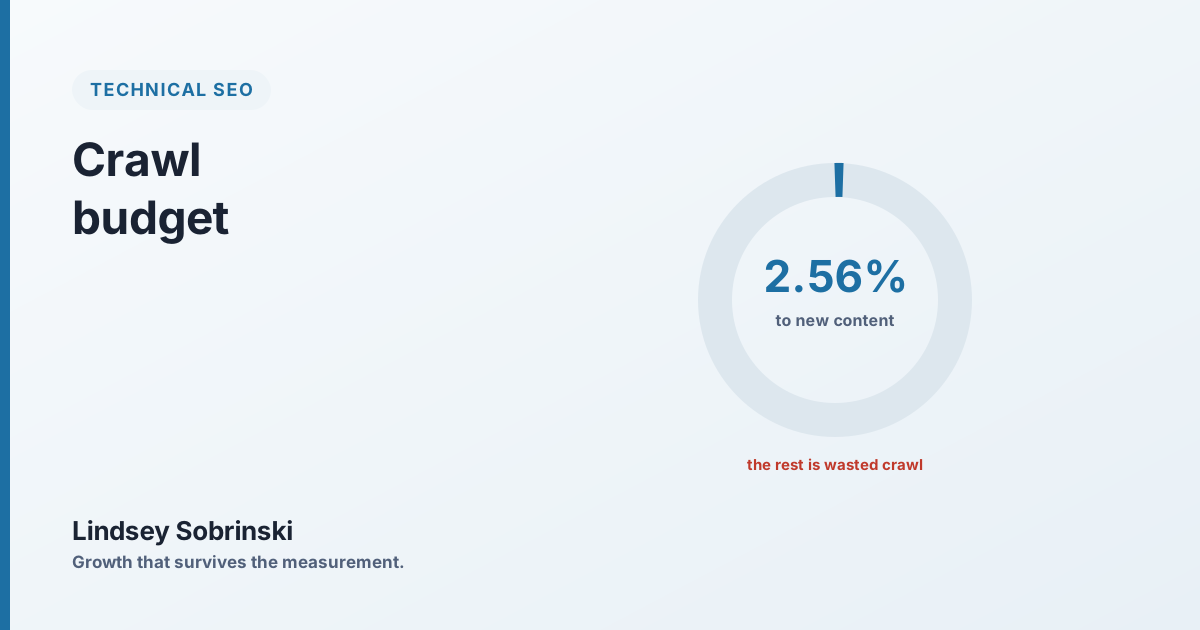
On one enterprise retail site, the answer was: mostly garbage. Only a low single-digit percentage of Googlebot’s crawling was going to discovering new content. The rest was being consumed by redirects, dead links, duplicate URLs, and a server that had gotten slower. New products were going live and then sitting unranked for weeks, not because the pages were bad, but because Google was too busy crawling junk to reach them.
Crawl budget is real, but only past a certain size
Let’s be precise, because “crawl budget” gets thrown around loosely. For a small site it’s a non-issue: Google can and will crawl everything you have, often. You don’t need to think about it.
It becomes a real constraint at scale, the point where your URL count is large enough that Google can’t recrawl the whole site frequently. That’s where most enterprise ecommerce and large publisher sites live. Past that threshold, Google is constantly choosing what to fetch and what to skip, and the efficiency of your site decides whether it spends those fetches on your commercial pages or on dead ends.
The four things eating the budget
When crawl budget is being wasted, it’s almost always some mix of the same four culprits, and on a big site, all four are usually template-level, which is why they get so large.
Redirect chains. Every redirect is a request Googlebot makes and a hop it follows before reaching anything indexable. When a redirecting link sits in a header or footer, that’s a wasted hop on every page. Chains that trace back to a handful of templates can account for the majority of a site’s redirect activity.
Links to 404s. On the same site, 4,293 internal links still pointed at pages that no longer existed. Every one of those is Googlebot fetching a dead end, pure waste, and a leak of the ranking signal the linking page was passing.
Duplicate and parameter URLs. Tracking parameters, filter combinations, and session variants multiply the crawlable surface. Google spends budget fetching near-identical versions of pages it has already seen, the same tracking-parameter sprawl that gets Google overriding your canonical tags at scale.
Slow responses. Server response time on the site had risen 36%, from around 330ms to 448ms. That matters beyond page speed, because Google explicitly throttles its crawl rate on slow sites. A slower server literally buys you fewer crawls.
The part that compounds
Those four don’t just add up, they multiply each other. A slow server means Google crawls less. Crawling less means the budget that remains is even more precious. And when that shrunken budget is still being spent on redirects and 404s, the share left for discovering new pages collapses.
That’s how you end up at a low single-digit percentage of crawling going to new content. It’s also why the symptom shows up as a business problem, not a technical one: “our new products take weeks to rank.” The team goes looking for a content or authority fix, when the actual issue is that Google is barely reaching the new pages at all.
There’s a discovery failure hiding underneath it too. On the same site, 11 of 15 XML sitemaps were returning “couldn’t fetch” in Search Console, so even the mechanism meant to hand Google a clean list of URLs was broken. Google was left to find new inventory by crawling a site whose budget was already spent on junk.
Fixing it
The work is unglamorous and it’s mostly subtraction. Clear the redirect chains so Googlebot stops following hops. Remove or redirect the internal links pointing at 404s so it stops fetching dead ends. Resolve the parameter and duplicate URLs so the crawlable surface shrinks to pages that matter. Get the XML sitemaps valid and fetchable so discovery is systematic instead of accidental. And bring server response time back down, because that single change widens how much Google is willing to crawl in the first place.
None of this is exotic. It’s just rarely anyone’s job, so it accumulates until the crawl stats look the way they did on that site.
What you get back
The payoff is speed of discovery. When the budget stops leaking, Googlebot spends its visits on real pages, and new inventory, seasonal collections, and updated content get found and ranked in days instead of weeks. On a site where content velocity is a competitive advantage, that gap is the difference between capturing a season and missing it.
Check your own the way I check a new site: open Crawl Stats in Search Console, and look at how much of the crawling is hitting redirects and 404s, whether response time is climbing, and how much is going to new URLs at all. If the answer is “not much,” you don’t have a content problem yet. You have a budget being spent on garbage.
Crawl budget is one piece of the technical-SEO foundation. For the whole picture, rendering, canonical integrity, redirects, and Core Web Vitals, see the Technical SEO hub.